
What is Number Table on sintoto
Number Table is a lottery-style game where you select numbers before each draw, and we announce the result live. On sintoto, the game format is simple: a set of numbers is drawn at random, and we compare your selections to the drawn numbers. If your numbers match, you win a payout based on how many matches you made.
The game runs frequently throughout the day — often every subject to verification — so you don't wait long between rounds. Each round has a fixed closing time displayed on your screen. You can place selections right up until the draw closes, then watch the result live on our mobile app or browser. We record your selections and results in your account history, so you can review past games anytime.

On your mobile device, Number Table looks clean and uncluttered. The drawing interface shows available numbers, typically arranged in a grid or rows. You tap the numbers you want to select, and we highlight them. You then enter your stake amount and confirm. The app calculates potential payouts based on your selections and the draw type you're playing.
sintoto runs Number Table draws from a secure, automated system. Each draw is independent, and results are generated fairly without bias toward any number or pattern. We broadcast each result to all active players instantly, so everyone sees the outcome at the same time on their phone or desktop.
Game mechanics and how payouts work
Number Table payouts depend on how many of your selected numbers match the drawn numbers. For example, if the draw produces 6 numbers and you selected 3 of them, you match 3. The payout for a 3-match is typically higher than for a 2-match, and the payout for 6 matches (all numbers correct) is the highest.
We display the payout table before each draw so you know exactly what you can win. The table shows the payout multiplier for each match level. Some versions of Number Table let you choose how many numbers to select — selecting more numbers increases your chances of a match but also increases your stake. Selecting fewer numbers decreases your stake but reduces match probability.
Number Table rewards patience and consistent selection. Each draw is independent, but tracking your results over time helps you understand patterns in your own play.
Your stake is deducted from your account balance when you submit your selection. If you win, the payout is credited to your balance instantly after the draw closes. If you don't match any numbers, your stake is not returned — you've lost that round. All transactions appear in your account history, and you can download a statement for your records.
Mobile experience: Android app and iOS browser
sintoto Number Table works seamlessly on both Android and iOS. If you use Android, download our app from our platform, install it, and log in. The app remembers your login, so you're ready to play immediately when you open it next time. Push notifications alert you when a new draw is about to start, so you don't miss rounds.
iOS users access sintoto through Safari or Chrome on their phone. No app installation is required — just bookmark our site for quick access. The browser experience is fully responsive, meaning buttons and game boards automatically resize to fit your iPhone or iPad screen. We also support Safari's home-screen shortcut feature, which lets you add sintoto to your home screen like an app.
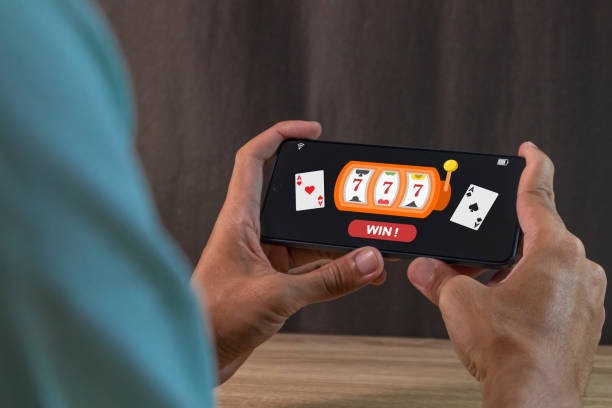
Data usage for Number Table is minimal. A full gaming session lasting an hour uses about 20–30 MB, making it suitable for standard mobile plans. Our streams are optimized for 3G and 4G networks, so even older connections support smooth gameplay. If you're concerned about data, you can lower video quality in your app settings, though this won't affect game functionality.
Account login syncs across devices
Log in from your phone, and your balance and history are instantly available. Log in from a desktop, and you see the same account. No separate logins or transfers needed.
Payment options and account funding
To play Number Table on sintoto, you need to fund your account. We accept deposits via e-wallets and bank transfers. E-wallet options include DANA, e-wallet, mobile banking, local payment, and online payment. We also support e-wallet, a unified QR-code payment system accepted across Indonesian banks and merchants. For bank transfers, we offer virtual accounts linked to mobile banking, local payment, online payment, and e-wallet.
Depositing is quick on mobile. You select your payment method, enter the amount, and we either redirect you to the e-wallet app or provide a virtual-account number for your bank transfer. E-wallet deposits typically complete within minutes. Bank transfers may take longer depending on your bank's processing schedule. Once your deposit is confirmed, the funds appear in your sintoto balance, and you can start playing Number Table immediately.
Withdrawals are processed the same way. You request a withdrawal, select your destination (e-wallet or bank account), and we send your funds back. We verify all withdrawals to prevent fraud, which may add a mobile bankingef review window. E-wallet withdrawals are typically faster than bank transfers. We do not guarantee fixed withdrawal times because external factors (bank hours, payment processor load) affect speed.
E-wallet benefits
- subject to verification and withdrawals
- No minimum deposit required
- Works on any mobile phone
Bank transfer notes
- Processing depends on bank schedule
- Requires exact virtual-account entry
Account security and verification
sintoto protects your account with email verification, password security, and optional two-factor authentication. When you register, we send a confirmation link to your email. Click it to verify your account. For your first deposit, we ask for identity verification — a government-issued ID photo and a recent utility bill or bank statement. This step ensures we know who's behind each account and prevents fraud.
We recommend enabling two-factor authentication (2FA) for extra security. Once enabled, each time you log in from a new device, we send a code to your registered phone number. You enter this code to complete login. This prevents unauthorized access even if someone obtains your password. Managing these security settings takes just a few minutes and is available in your account preferences.